PLocker - 100% Offline Password Manager
Cloud-based password managers are convenient, but central servers are prime targets for hackers. Learn why an offline-first, AES-256 encrypted vault like PLocker is the ultimate choice for your Android security.
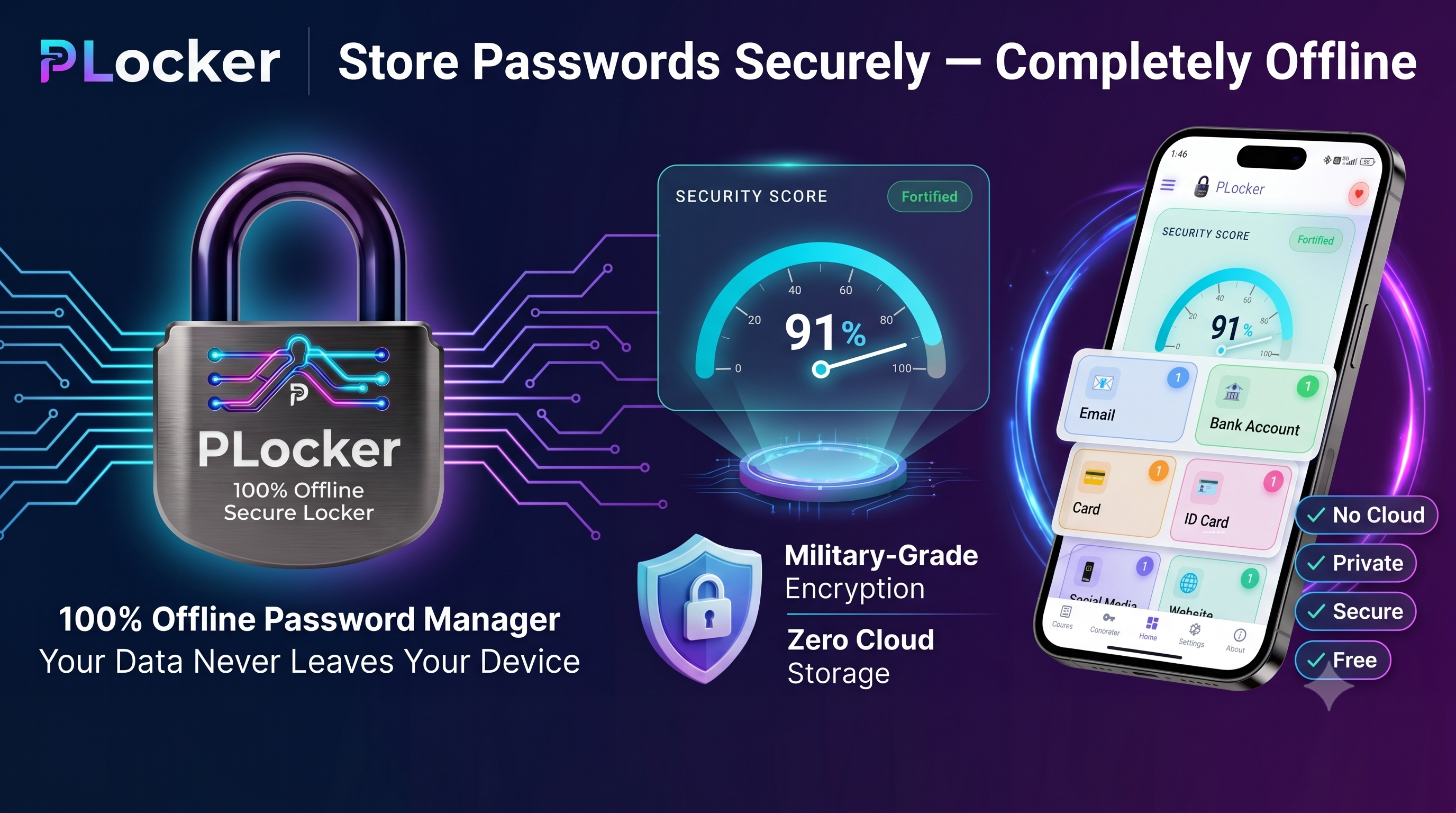
Why You Should Switch to a 100% Offline Password Manager: Introducing PLocker for Android
In today's hyper-connected digital landscape, password security is no longer optional. With data breaches hitting headlines almost weekly, we are constantly advised to use strong, unique passwords for every account. Consequently, password managers have transitioned from a luxury to an absolute necessity.
But this raises a critical question: Where exactly are your passwords stored, and who has access to them?
Most popular password managers store your encrypted vault on their cloud servers. While convenient for syncing across multiple devices, this cloud-centric approach introduces a fundamental security paradox. In this post, we’ll explore the risks of cloud-based storage, the security benefits of an offline-first architecture, and how PLocker—a free, 100% offline password manager for Android—protects your credentials without compromising your privacy.
The Cloud Security Paradox
Cloud-based password managers operate on a simple promise: convenience. By uploading your encrypted vault to a centralized server, they allow you to access your credentials from any browser, phone, or computer.
However, this convenience comes at a significant cost:
- Centralized Honeypots: Cloud databases containing the credentials of millions of users are high-value targets. Hackers are constantly probing these servers for vulnerabilities. High-profile breaches over the last few years have demonstrated that even the most trusted cloud password managers are vulnerable to attacks.
- Exposure of Metadata: Even in zero-knowledge systems, a breach can expose sensitive metadata—such as the URLs of the accounts you own, usernames, IP addresses, and login timestamps.
- Brute-Force Vulnerability: If a hacker obtains a copy of your encrypted vault from a breached cloud server, they can download it and run offline brute-force attacks at their leisure, completely bypassing any rate limits or account lockouts implemented on the website.
By keeping your vault in the cloud, you are delegating trust to third-party servers, network protocols, and API integrations.
The Offline-First Paradigm: Why Local is Safer
An offline password manager eliminates the cloud vulnerability entirely. Instead of syncing your database to external servers, it stores it exclusively on your local device.
Here is why this approach is inherently more secure:
- No Server to Hack: Because your passwords are never sent to a server, there is no centralized database for a hacker to breach.
- Zero Network Exposure: An offline app does not need to connect to the internet, eliminating man-in-the-middle (MitM) attacks, API exploits, and remote access vulnerabilities.
- Complete Ownership: You are the sole custodian of your data. If you don't share it, nobody else can access it.
This is the exact philosophy behind PLocker.
Introducing PLocker: Privacy-First Android Vault
PLocker is a free, privacy-focused offline password manager for Android designed by Dipankar Kolay. It has been built from the ground up to ensure your passwords, private notes, and digital credentials remain completely secure and strictly under your control.
Let's take a look under the hood at the security architecture that makes PLocker a premier cybersecurity tool:
1. AES-256 Encryption (CBC Mode with Unique IV)
PLocker uses Advanced Encryption Standard (AES) with a 256-bit key size—the same standard approved by the NSA to protect TOP SECRET information. To prevent pattern analysis, PLocker operates in CBC (Cipher Block Chaining) mode, using a unique, cryptographically secure random Initialization Vector (IV) for every single encryption operation. This means that even if you encrypt the same password multiple times, the resulting ciphertext will be completely different.
2. PBKDF2 Key Derivation
Your master password is never stored on the device. Instead, PLocker utilizes PBKDF2 (Password-Based Key Derivation Function 2) with HMAC-SHA256 and over 100,000+ iterations to derive your 256-bit encryption key. This high-iteration hashing process dramatically slows down dictionary and brute-force attacks, making it computationally impossible for unauthorized parties to guess your key.
3. Android Sandbox Isolation
PLocker stores your credentials in a single SQLite database file in its private internal storage directory. The Android operating system isolates this directory in a secure sandbox, preventing other applications, malicious software, or file managers on your device from reading or writing to it.
4. Zero Internet Permissions
The strongest security guarantee of PLocker is its lack of the INTERNET permission in its Android manifest. The app has no networking capabilities. It cannot connect to servers, send crash reports, or transmit data over Wi-Fi or cellular networks. Even if someone were to acquire physical access to your unlocked phone, the app itself cannot broadcast your database anywhere.
Power Features for Seamless Usability
While security is paramount, a password manager must also be convenient to use. PLocker packs a suite of modern utility features:
- Comprehensive Password Vault: Store unlimited login credentials. Organize your entries into customizable categories, folders, and favorites, and copy credentials to your clipboard with a single tap.
- Custom Password Generator: Instantly create strong, random passwords using a custom mix of uppercase, lowercase, numbers, and special symbols, with adjustable lengths from 8 to 64 characters. A built-in strength meter gives visual feedback on key strength.
- Secure Notes: Protect sensitive text-based information like software keys, recovery codes, PINs, and bank details using the same AES-256 encryption.
- Biometric Login: Unlock your vault instantly using your phone's fingerprint sensor. PLocker interfaces directly with the Android Biometric API at the operating system level, meaning your biometric data never leaves the system keystore and is never seen by the app itself.
- Encrypted Local Backup & Restore: Easily export an encrypted copy of your vault to your local storage to prevent data loss. You can restore your data onto a new device by manually transferring this encrypted file.
- Screenshot & Screen Recording Protection: To shield you from remote spyware and local snooping, PLocker blocks screen capture and recording across the entire app. Any attempt to record or cast your screen displays as a blacked-out window.
- Eye-Friendly Dark Mode: The interface supports Light, Dark, and System Default themes, featuring optimized contrast ratios to prevent eye strain.
Privacy by Design, Not Just Policy
Most free password managers monetize your data by tracking your behavior, embedding analytics SDKs, or showing intrusive ads.
PLocker takes a zero-compromise stance on privacy:
- No Account Required: You don’t need to register, provide an email, or sign up to use the app.
- Zero Tracking: There is no telemetry, no Google Analytics, no Firebase Crashlytics, and no third-party trackers.
- 100% Free: PLocker has no premium paywalls or subscription plans. It is supported purely by voluntary donations.
Conclusion: Take Control of Your Digital Safety
In cybersecurity, the simplest architecture is often the most secure. By removing the cloud from the equation, PLocker removes the greatest security risk associated with modern password managers.
If you are looking for a reliable, military-grade, and completely offline vault for your Android device, it's time to make the switch.
Download PLocker today and keep your passwords where they belong: in your hands.
More Articles
Why Every Business Needs an Online Website Today
In today’s digital-first world, having an online presence is no longer optiona...
How Important Is a Mobile App for Any Business in Today’s Digital World?
Is a mobile app really necessary for every business? Discover when and why small...